kingtop toto Mobile App
Account access on kingtop toto extends across Android APK, iOS browser, and progressive web-app paths, each connecting to the same account dashboard, payment methods, and game library you use on desktop. Whether you follow Liga 1 fixtures from Jakarta, track Piala AFF group-stage results from Surabaya, or manage a withdrawal request from Medan, our mobile interface carries the full account functionality without requiring a separate session on a larger screen.

- Installin
- and
- Update
- StartFirst Game
Our mobile path was designed around the payment flows that matter most to users in the Indonesian region. Deposits via DANA, e-wallet, and mobile banking process through the same verification pipeline on mobile as on desktop, and withdrawal requests submitted through your mobile account are reviewed under the same KYC checks. We have not reduced the security layer on mobile — two-factor authentication, session timeout, and account-change confirmations all operate identically across form factors.
Accessing kingtop toto through a mobile device does not alter your jurisdiction obligations. Our services remain available only where local law permits, and you remain responsible for confirming that your use of our platform complies with the regulations in your location. This guide covers the three access paths, a step-by-step installation outline, compatibility notes, and common issues that arise during setup.
Our kingtop toto Mobile Access Paths
Android APK, iOS browser, and web app
We offer three distinct paths for mobile access to kingtop toto. Android users may download our APK file directly from the kingtop toto site — this is an installation package outside the Google Play store, so your device must be configured to allow installations from sources other than the official store. iOS users access our platform through Safari or a compatible mobile browser; our interface is optimised for mobile Safari and supports home-screen shortcuts that behave like a native app. The progressive web app path works across both platforms and requires no download at all — you navigate to our site, add it to your home screen, and it caches the interface for faster subsequent loads.

Mobile path comparison
The Android APK gives you push notifications for account events — deposit confirmations, withdrawal status updates, and live-score alerts for Champions League or Piala AFF matches you have marked. The APK also caches game assets locally, which reduces load time on slower connections.
The iOS browser path and the progressive web app carry slightly fewer notification capabilities due to platform restrictions, but they support the full account dashboard, live-dealer tables, slot games, and sportsbook markets without any installation overhead.
Installation walkthrough for kingtop toto
The steps below apply to the Android APK path. iOS and web-app setup follow shorter variants described after the step list.
-
1
Download the APKStep 1
Open kingtoptoto.bet in your Android browser, navigate to the App page, and tap the download link to save the kingtop toto APK file to your device storage.
-
2
Enable installation from unknown sourcesStep 2
Go to Settings → Security (or Apps → Special app access on Android 10 and above) and enable the option that allows your browser or file manager to install APK files from outside the Google Play store.
-
3
Open and register or sign inStep 3
Tap the downloaded file to launch the installer, confirm the prompt, then open kingtop toto and either create a new account at the registration page or sign in through member login
-
4
Complete KYC and link a payment methodStep 4
Before making a deposit or withdrawal request, complete the identity verification step in your account dashboard and add at least one payment method — DANA, e-wallet, mobile banking, local payment, online payment, e-wallet, or a bank account with mobile banking, local payment, online payment, or e-wallet.
kingtop toto App versus Browser — What Changes
Using the kingtop toto APK rather than a mobile browser delivers a measurable difference in load behaviour. The app caches core interface assets locally after the first session, so subsequent launches skip the full page-load cycle and proceed directly to your account dashboard. Push notifications operate at the OS level, meaning you receive deposit confirmations and withdrawal status alerts without keeping a browser tab open. Live-dealer table streams and sportsbook markets — including live Liga 1 fixtures and Champions League group-stage coverage — load within the same session context, with no need to re-authenticate between sections. The browser path still handles all of these functions; the difference is in session persistence and notification reach rather than in feature availability.
Device compatibility for kingtop toto mobile
Our Android APK requires Android 7.0 or above; most mid-range and current-generation Android handsets sold in Indonesia meet this requirement. The iOS browser path requires iOS 12 or above, covering several generations of iPhone and iPad models. For the progressive web app path, any modern browser — Chrome, Firefox, Edge, or Safari — on either platform supports the interface without additional configuration. Devices with less than 2 GB of RAM may experience slower load times on live-dealer table streams due to video decoding requirements, but the sportsbook and slot-game sections remain functional.
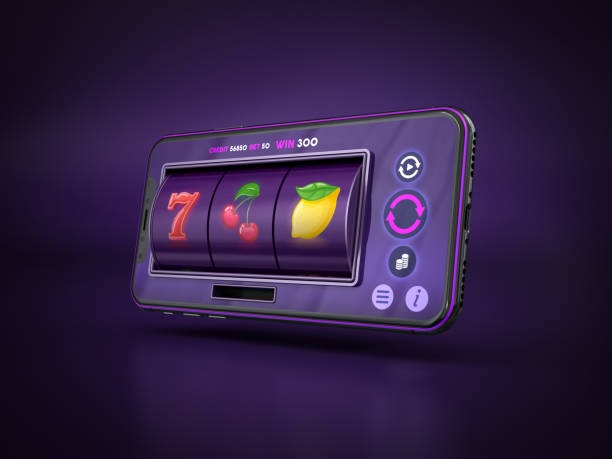
Our mobile account dashboard gives you deposit, withdrawal, and live-market access within the same verified session — no re-login required between sections.
Common installation issues
The most frequent obstacle on Android is the "unknown sources" permission not being set for the specific app that initiates the install. On Android 8 and above, this permission is granted per application: if you download the APK using Chrome but open it with a file manager, you may need to grant the "install unknown apps" permission to the file manager separately. A second common issue is a security warning that appears when the device's built-in protection scan flags the APK before it has processed the file. This scan typically completes within a few seconds; dismissing the warning prematurely cancels the install. On iOS, if you add our site to the home screen and the icon does not appear, check that Safari's pop-up blocking is not interfering with the add-to-home-screen prompt.
Data, Permissions, and Account Security on kingtop toto
Our mobile app requests a limited set of device permissions. Notification access is required to deliver deposit confirmations, withdrawal updates, and live-score alerts. Storage access is used to cache game assets and session data locally. We do not request access to your contacts, camera, microphone, or location — none of these are needed for our service. All data transmitted between your device and kingtop toto is encrypted in transit. Your account credentials are not stored in plain text on the device; the app uses a token-based session that expires after a period of inactivity.
We strongly recommend enabling two-factor authentication on your kingtop toto account before using the mobile app on a shared or public device. Your two-factor code is delivered by SMS to the mobile number you verified during account registration. If you lose access to that number, contact our support team through the help section of your account dashboard and follow the identity verification process to update your contact details. During major public holidays such as Idul Fitri and Idul Adha, bank processing and our account review queue may take longer than usual; factor this into any withdrawal request timing.
Our services are available only where local law permits. Access to kingtop toto through mobile does not alter your jurisdiction obligations, and you remain responsible for confirming that your use complies with applicable law in your location. For further details on account management, payment methods, and our service terms, see our account termsprivacy policyand FAQ